Ordering cannabis online can make shopping more convenient, but it’s important to confirm whether delivery is available to your location before completing an order. If you’re looking for Santa Rosa dispensary delivery, checking your address, current product availability, and checkout options beforehand can help you plan your purchase.
Flame Dispensary Santa Rosa provides an online menu where customers can browse available cannabis products and begin an order from home. Here’s what to check when you’re interested in delivery.
Why Check Delivery Availability?
Delivery availability can depend on the address entered during the ordering process. Rather than assuming your location is eligible, check the available fulfillment options while placing your order.
Doing so can help you:
- Determine whether delivery is available to your address
- Check current product availability
- Review your order information before checkout
- Choose an available ordering option that works for you
If delivery isn’t available for your location or order, Flame Dispensary Santa Rosa also provides pickup options.
Check Your Address During Online Checkout
When looking for Santa Rosa dispensary delivery, start with Flame’s online ordering system.
Browse the live menu and add the products you’re interested in to your cart. When you proceed through checkout, select the appropriate order type and enter the requested delivery information.
Because availability can depend on the address and current ordering options, use the information displayed during checkout rather than assuming that every Santa Rosa-area address qualifies.
Review Current Product Availability
Checking delivery is only part of planning your order. You’ll also want to confirm that the cannabis products you’re interested in are currently available.
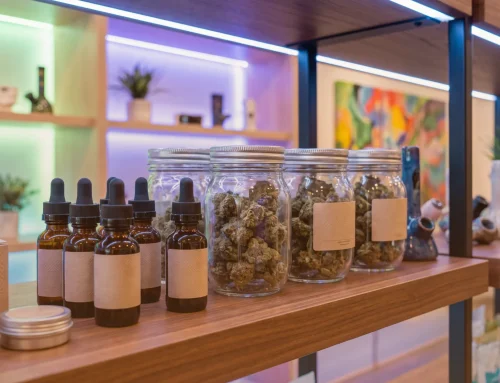
Flame Dispensary Santa Rosa’s online menu includes categories such as:
- Flower
- Pre-rolls
- Edibles
- Vapes
- Concentrates
- Tinctures
- Topicals
- Accessories
Inventory can change as products sell out or new items become available. Reviewing the live menu shortly before ordering can give you the most current selection.
Placing Your Order: A Step-by-Step Guide
The online ordering process can be approached in a few simple steps:
- Visit the Flame Dispensary Santa Rosa online menu.
- Browse the available products and add your selections to your cart.
- Proceed to checkout and review the available order types.
- Enter the requested address and customer information.
- Review the order details and any information displayed during checkout.
- Complete the required verification and follow the instructions provided for your order.
Pay attention to the information shown at checkout, as fulfillment options and availability can vary.
What Should You Check Before Ordering?
Before completing your cannabis order, review a few important details:
- Your delivery address
- Current product availability
- Product quantities
- Current prices
- Available deals and promotions
- Identification requirements
- Available fulfillment options
Flame Dispensary regularly features cannabis deals and promotions, so checking current offers before finalizing your cart may also be worthwhile.
Frequently Asked Questions
How do I know if delivery is available to my address?
Start an online order and enter the requested delivery information during checkout. The ordering system can help determine the options currently available for your location and order.
Can I browse products before starting an order?
Yes. Flame Dispensary Santa Rosa has an online menu where customers can review currently available cannabis products before proceeding to checkout.
What if delivery isn’t available?
Flame Dispensary Santa Rosa also offers online ordering for pickup. Customers can select an available pickup option and follow the instructions provided with their order.
What identification will I need?
Adults purchasing recreational cannabis must be at least 21 years old and provide valid government-issued identification. Patients with a current valid medical card may purchase starting at age 18.
Should I check current deals before ordering?
Yes. Promotions and featured products can change, so reviewing Flame’s current deals before completing your order can help you see what’s currently being offered.
Check Your Flame Santa Rosa Ordering Options
A convenient cannabis order starts with checking what’s currently available. Browse the live menu, review current products and deals, and enter your information during checkout to see which fulfillment options are available for your order.
If you’re looking for Santa Rosa dispensary delivery, start with Flame Dispensary Santa Rosa’s online ordering system and confirm delivery availability for your address before completing your purchase.